01 The users
The old interface kept the model in people's heads
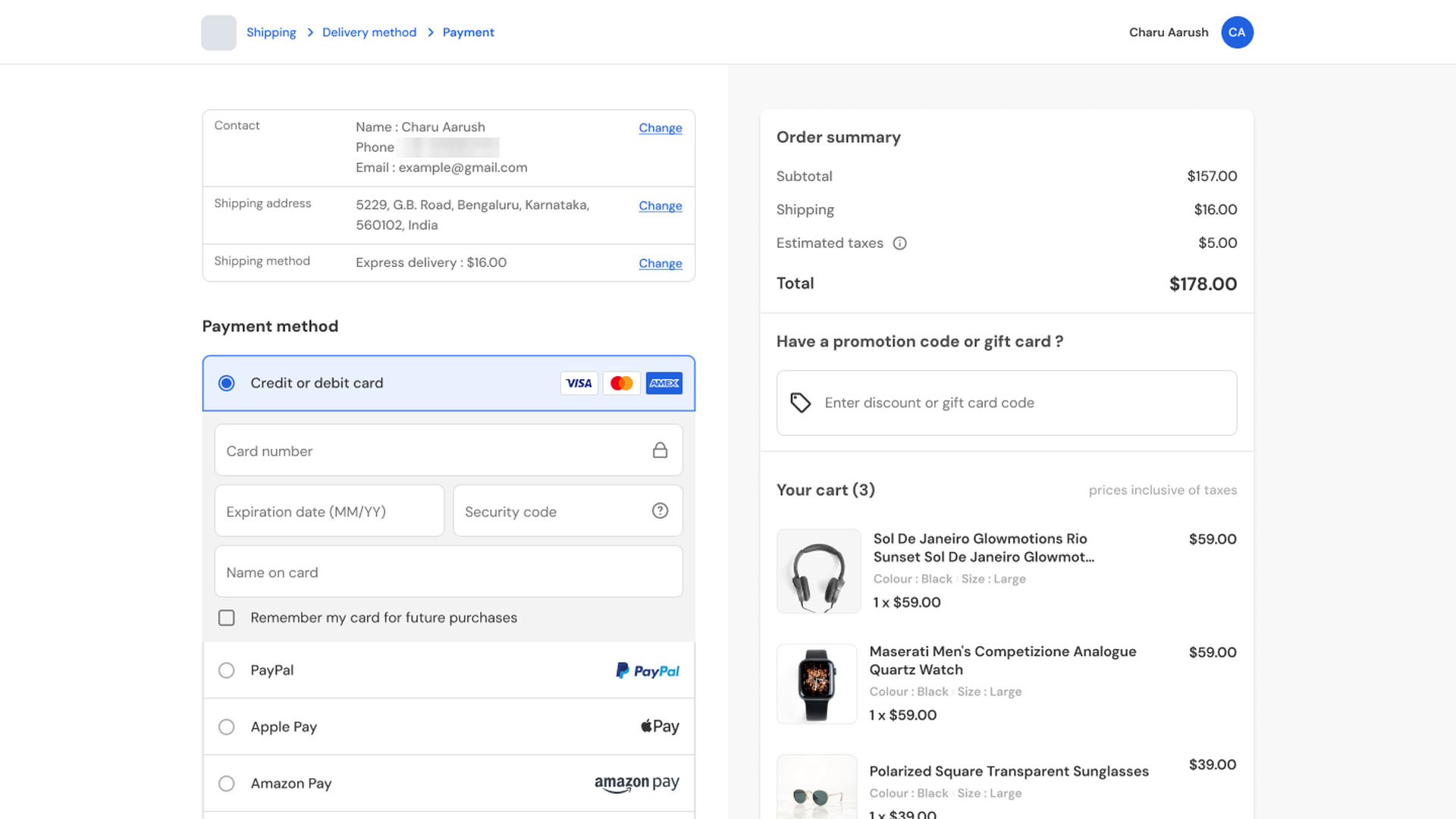
The people who write routing rules are not engineers. They are operations and payments staff, working under time pressure, and the old tooling was difficult enough that routing was often managed by hand instead.
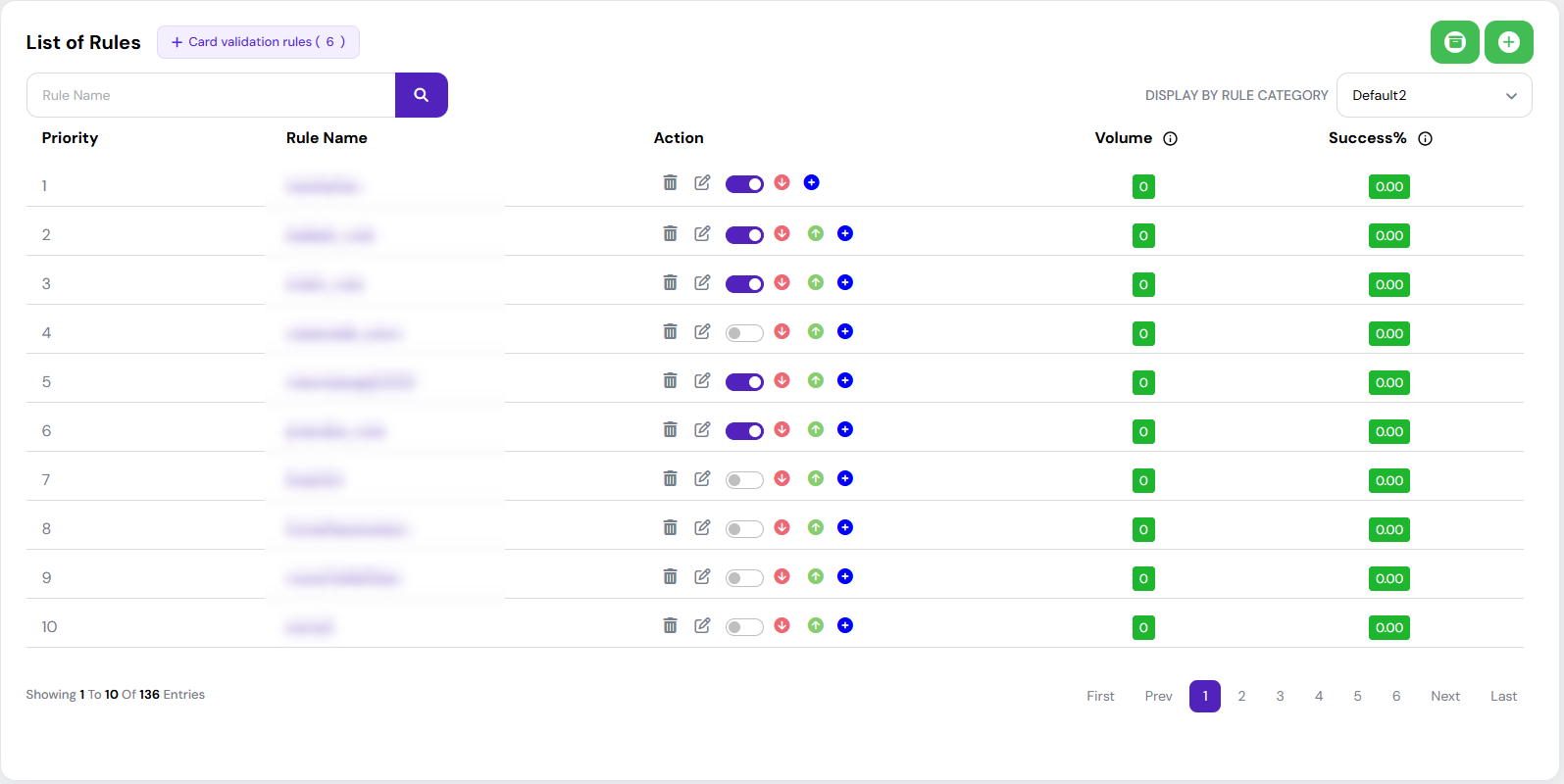
An operator setting up a routing rule had to hold the system's model in their head. Rules live in sixteen categories, and the categories carry a priority of their own — but nothing on screen said so.
02 The changes
Six changes, none of them a feature
-
Old
95 condition attributes in one flat list, with prefixes like “BIN ·” repeated ten times. Finding one was scanning, not looking.
NewGrouped into the platform's own thirteen families — BIN, card, customer, merchant, email, numeric, transaction, trust score, user-defined fields and a few single attributes — each under a heading with its count, and searchable.
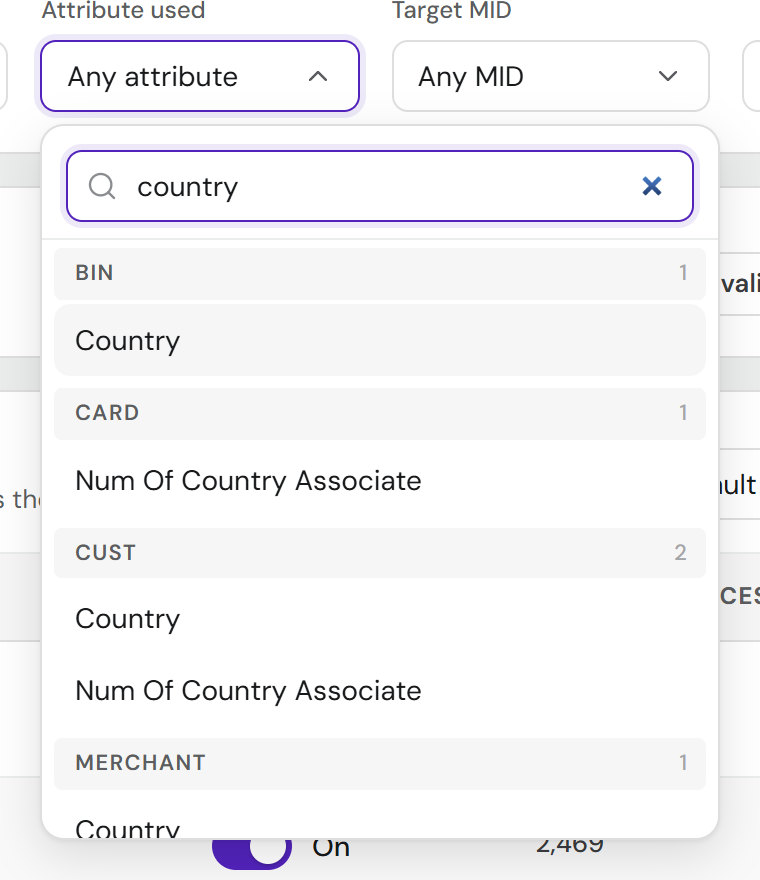
Fig. 02 — A search for “country” returns matches from several groups that share a name, and the group headings are what tell them apart. The flat list could not. A nested dropdown was asked for as the eventual answer; the headings are the honest step before it. View full screen -
Old
Action names like
otp_verification_and_rejectdid not say that OTP runs first and rejection follows.NewEvery action shows its sequence — Verify with OTP → Reject — with the platform's id underneath, so an operator does not need a colleague to explain a dropdown value, and someone who only knows the id can still search for it.
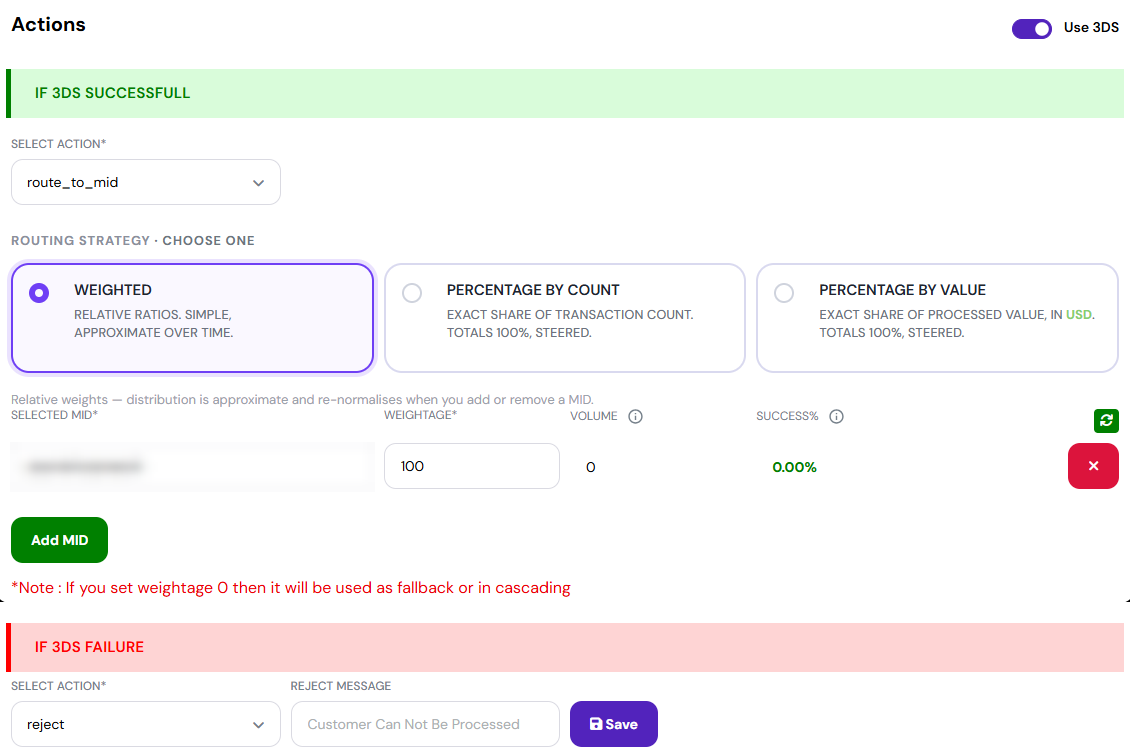
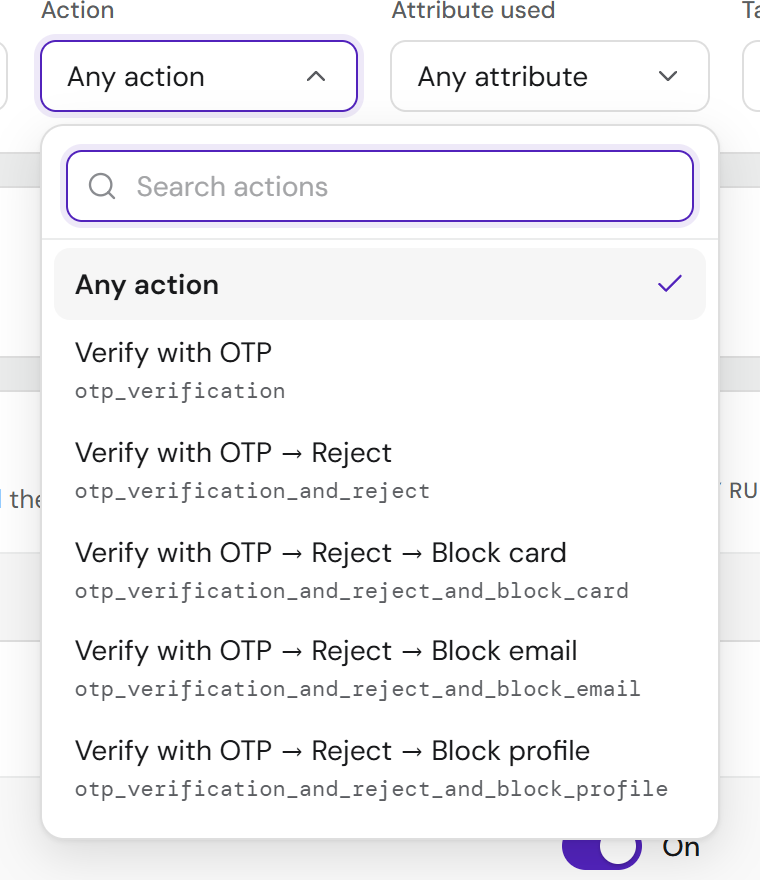
Fig. 03 — Before and after. An underscore does not say “then”; the arrow does. The id stays visible, so a ticket that quotes it still leads somewhere. The MID identifier on the left is blurred. View full screen: before · after -
Old
Six controls on every row, and priority changed one arrow press at a time.
NewTwo visible controls per row: the switch, which is state, and one menu for everything else. Move up, Move down and Move to position stay in the menu, because dragging is mouse-only and reordering needs a keyboard route too.
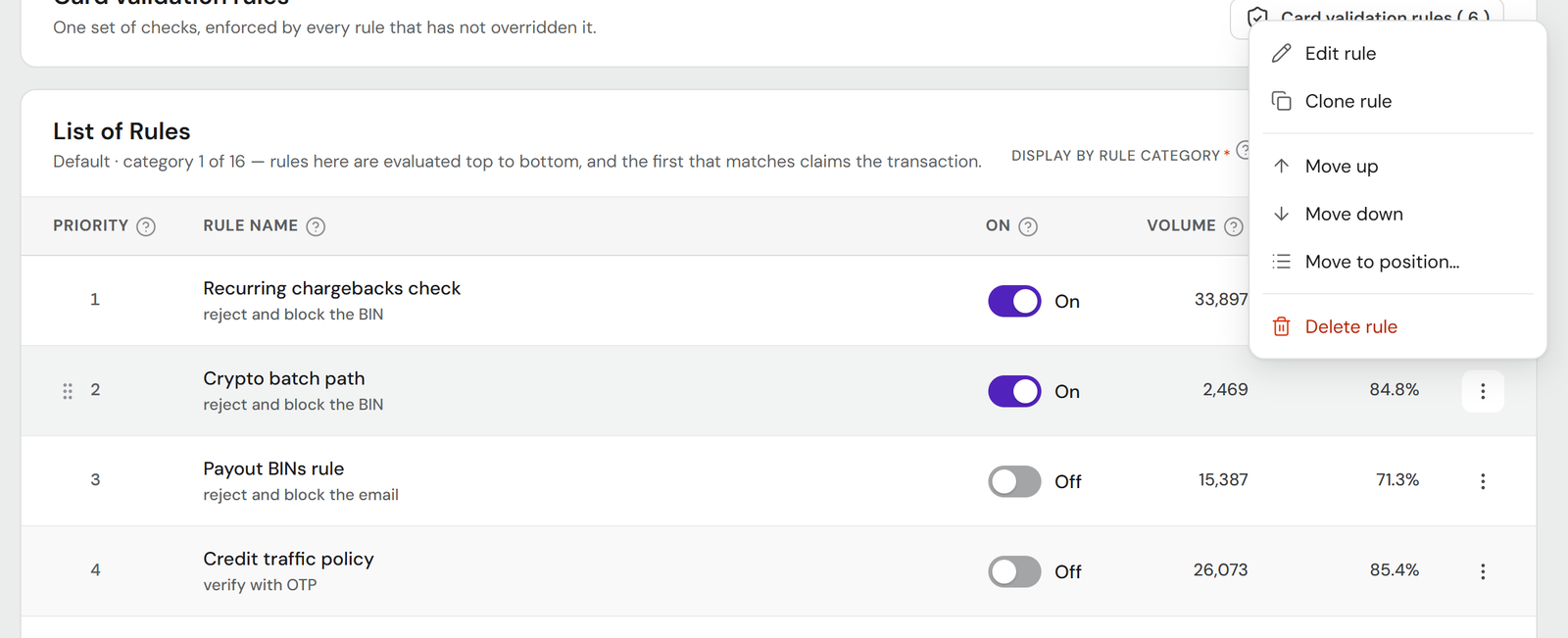
Fig. 04 — The same actions, one menu instead of a row of icons. Moving a rule several places is one step, not an arrow press per place. View full screen: before · after -
Old
Deleting a rule warned “You won't be able to revert this!” — which was not true. Deleted rules go to an archive.
NewThe confirmation says what actually happens: the rule stops being evaluated, the rules below it move up one position, and it moves to Archived rules. Undo sits alongside.
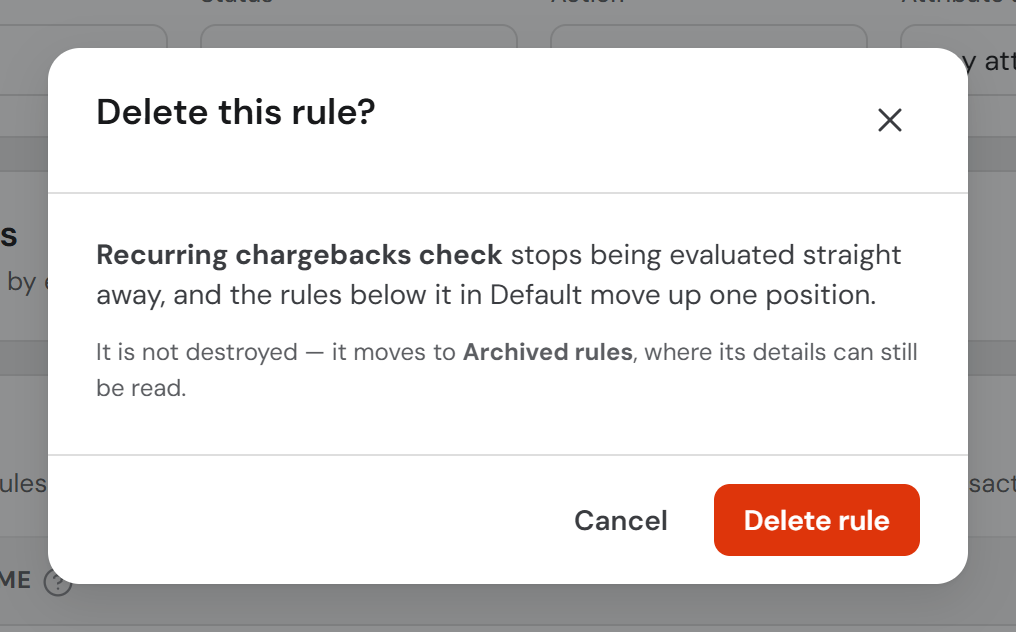
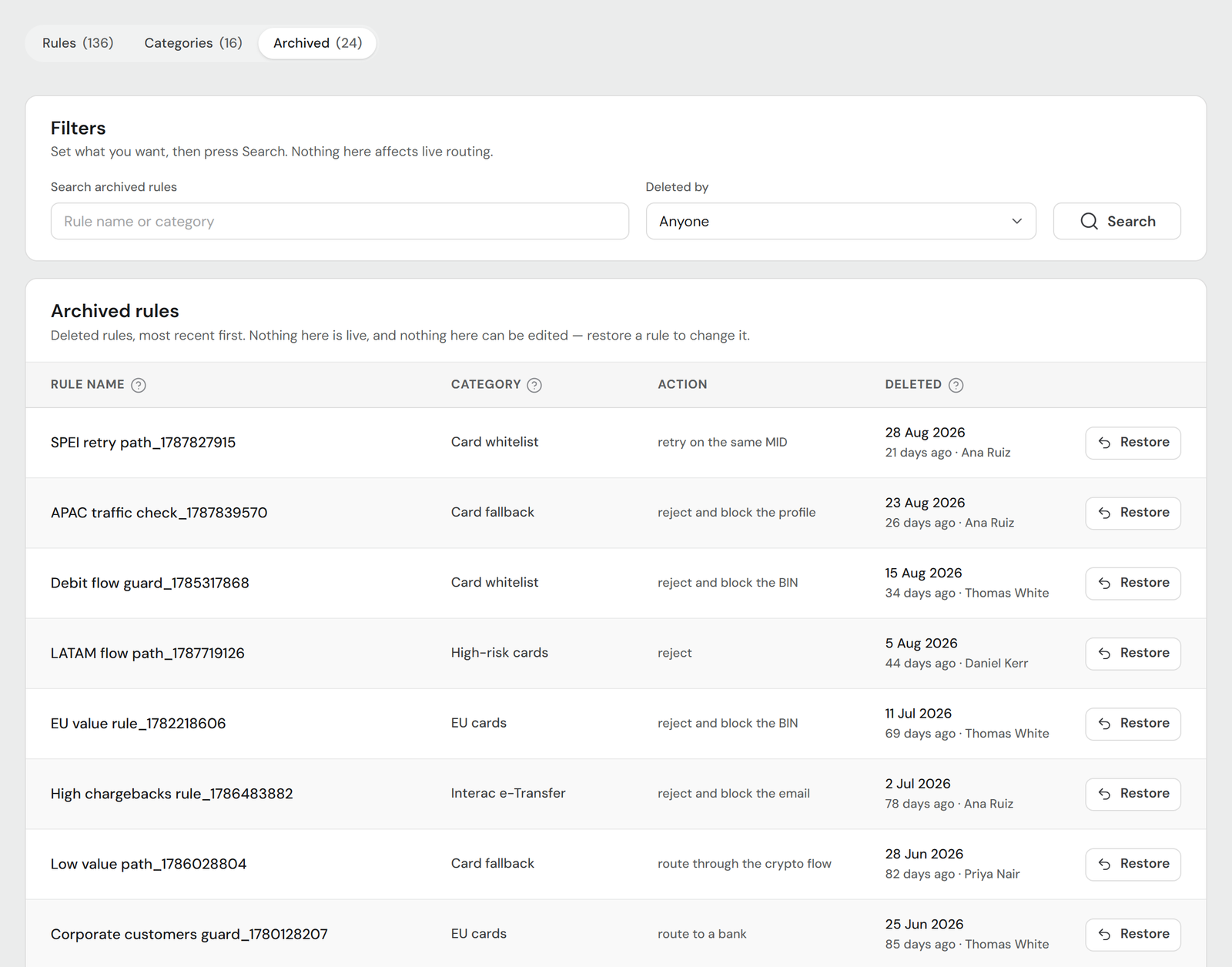
Fig. 05 — A warning that calls a reversible action permanent makes people hesitate over something safe, and teaches them to distrust the warnings that are real. A restored rule comes back at the end of its category and switched off, so restoring never puts an untouched rule straight into live traffic. View full screen: delete dialog · archive -
Old
Category was a dropdown with no sign of evaluation order.
NewOrdered by priority, with each option stating its own — “Priority 2 of 16” — and a Categories tab listing all sixteen in order with their rule counts.
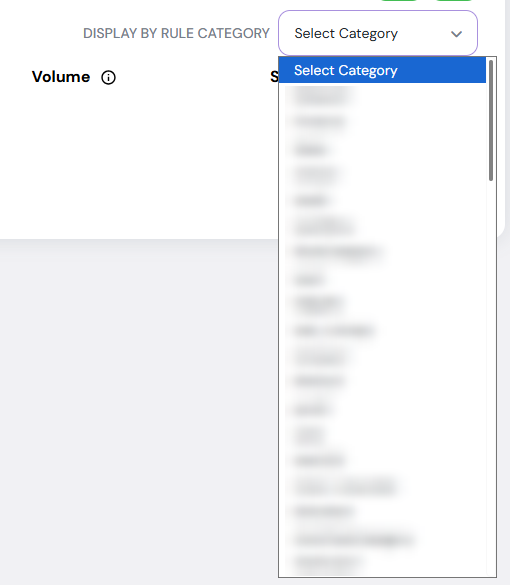
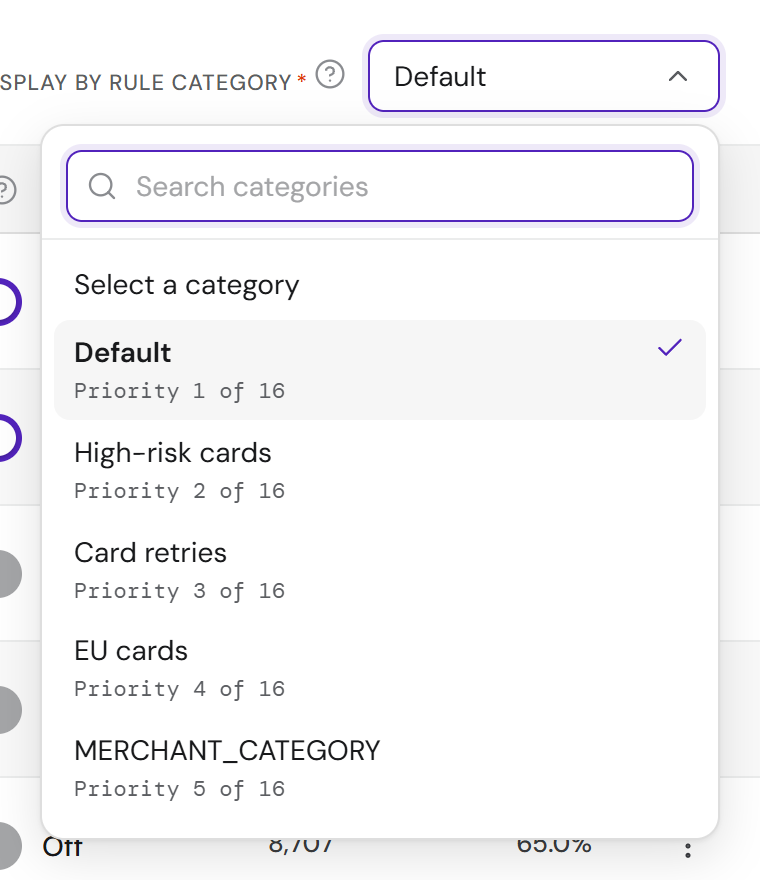
Fig. 06 — Categories have a priority of their own, as rules do, and the old picker gave no sign of either the order or the number. Now both are on the option itself. Category names on the left are blurred. View full screen: before · after -
Old
Seven card validation checks were yes/no questions carrying an operator they did not need — “Equals No” and “Not equals Yes” meant the same thing.
NewOne Yes/No control each, with no operator. Backend confirmed the operator was unnecessary.
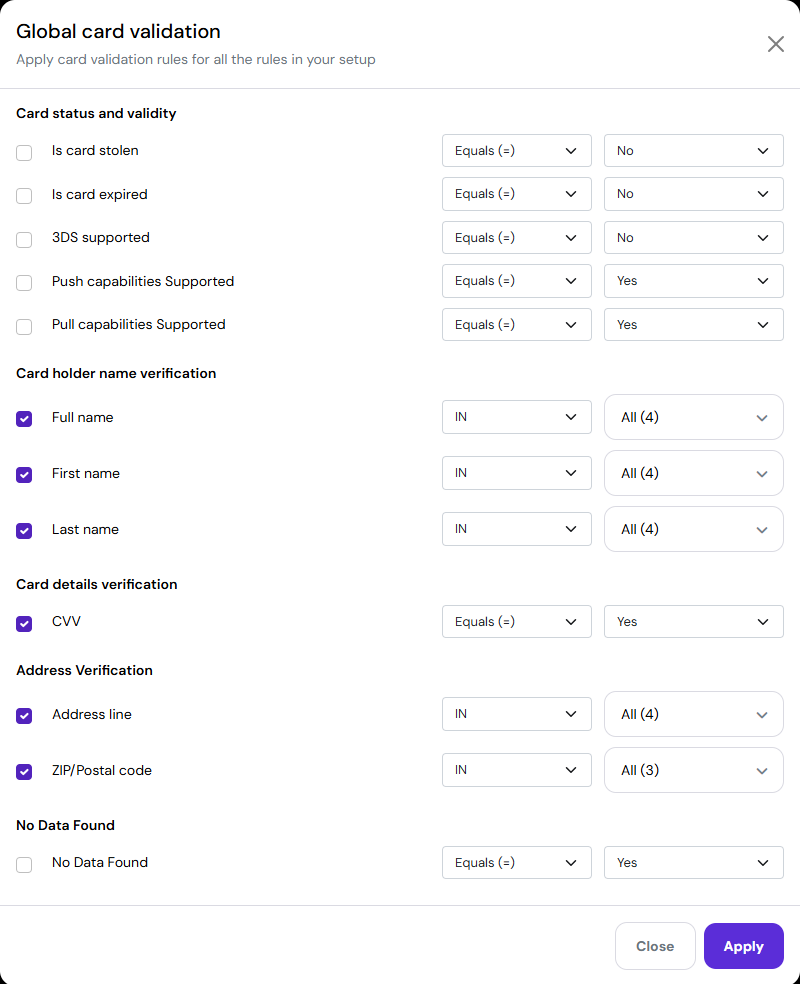
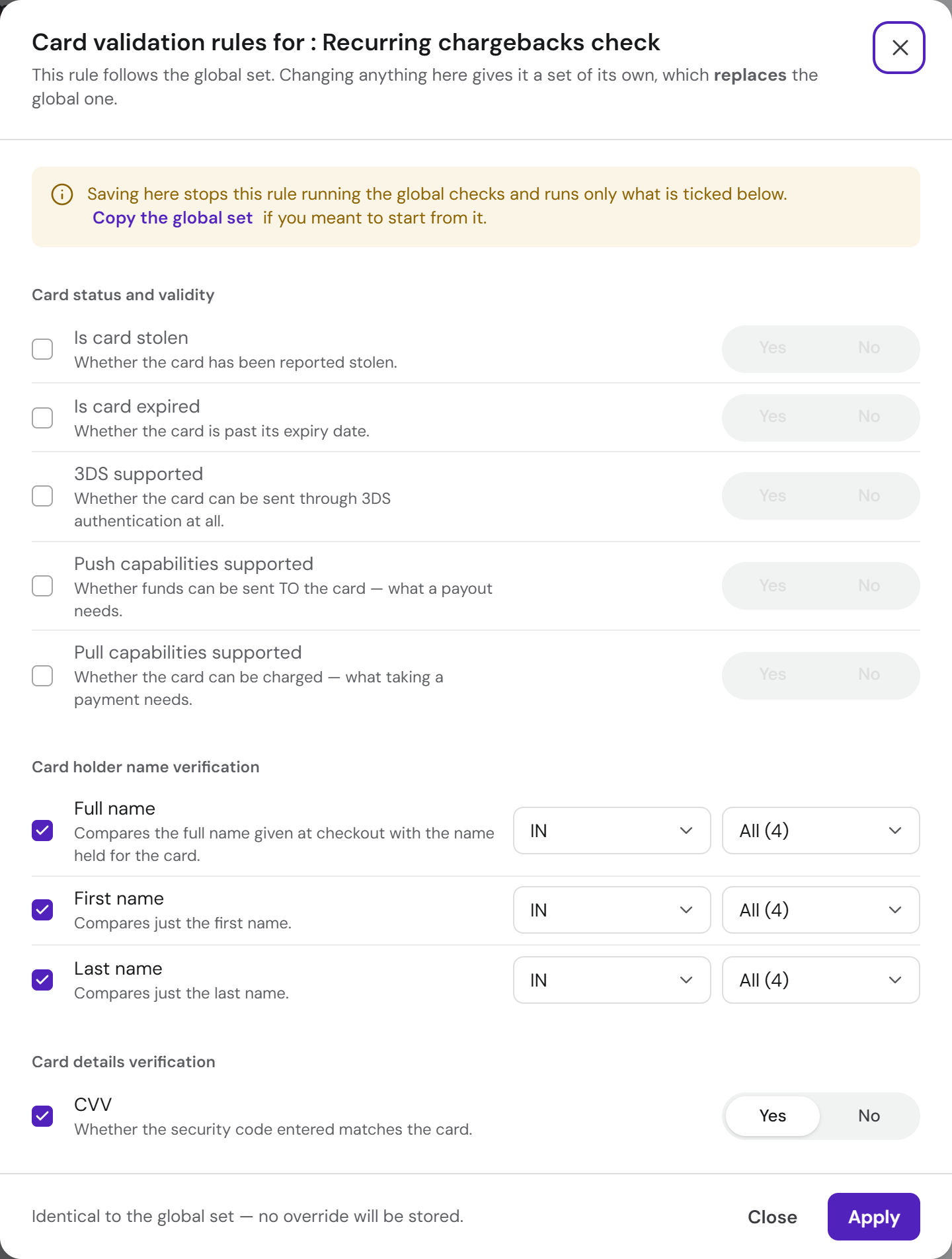
Fig. 07 — Four states for two meanings became two. Every check also says what it asserts, under its name. View full screen: before · after
03 Pushback
Three proposals, three arguments against
After a round of feedback, on these points I pushed back.
The row
The feedback Make the whole row open the rule, not only its name.
The row already holds a switch, a drag handle and a menu. A row-wide target competes with all three and makes drag against tap ambiguous. The rule name already opens the rule.
What I kept The row is not a target.
Security checks
The feedback Pre-select Yes or No on the card security checks.
A default means choosing a security policy on the operator's behalf, and “Yes” only looks like the safe answer — for some checks “No” is correct. A ticked check left unanswered is already blocked on save, with a message naming the check. If a default is wanted, it should come from the API, not the interface.
What I kept No default.
Inactive rules
The feedback Move inactive rules out of the list, into a separate tab.
The list's meaning is evaluation order. Someone asking why a rule did not fire needs to see that rule 3 is off, sitting at 3. Hiding it makes the visible order misleading, and the status filter already gives that view on demand.
What I kept Inactive rules stay in place.
04 Limits
What I couldn't build, and why
Performance on the summary cards
Earlier versions carried “Routed, 30 days” and “Blended approval”. The platform does not report either, so they came out. A number on a screen about money has to be one the system can back.
A picker for BIN categories
The live editor offers a dropdown for BIN category, but its options appear in no capture of the platform. Guessing at them would put invented configuration in front of someone who would read it as real, so the field stays free text until the real list is supplied.
Composable actions
The fifteen actions decompose into steps, but not freely: one combination exists and its OTP-first twin does not. Checkboxes would let someone compose a value the API rejects. Whether the list is fixed is a backend question, and it is still open.
05 The build
Working HTML, not a static file
I built the prototype as working HTML rather than a static Figma file, using AI-assisted tooling.
That changed the feedback: it came back about behaviour rather than appearance. It did not change the work that follows — engineers still have to rebuild it properly in React.
The prototype has been delivered, and an anonymised copy is published here.
06 Reflection
What I learned
-
When you can't add features, naming is the design
With no new capability allowed, the words on screen were most of the room there was to work in.
-
A list's order is a claim about how the system behaves
Hiding disabled rules would have made that claim false: the interface would show an order the engine does not follow.
-
The most useful warning is a true one
A confirmation that only asks “are you sure” hands over the decision without helping anyone make it.