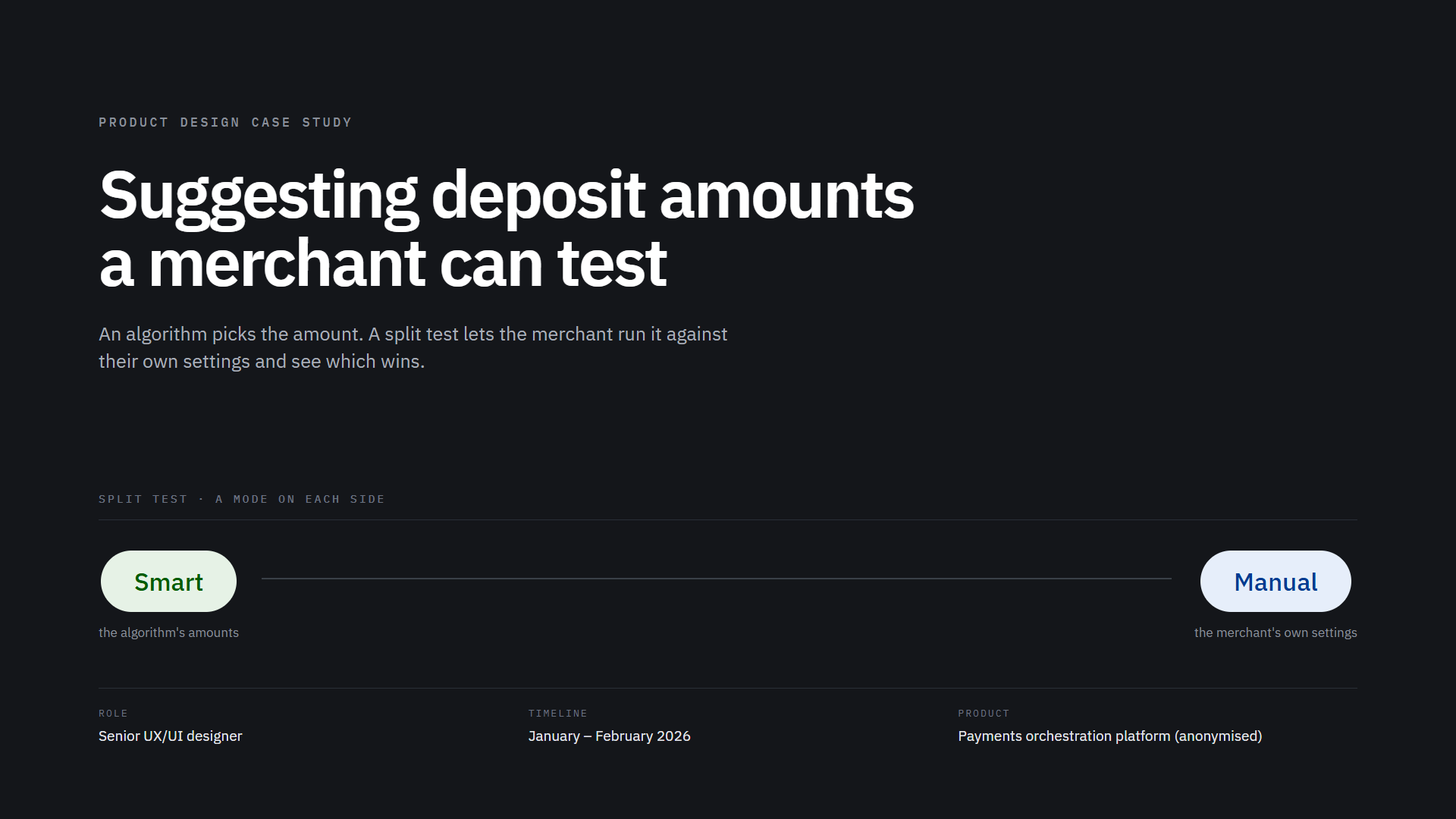
01 Origin
The brief was a voice note
A possible client, a land-based gaming operator, wanted a way to take deposits from customers on its floor, and there was a meeting with them within the week.
02 Framing
Four questions, before anything was drawn
I asked four questions first, because the brief did not say what the product was:
- Which payment methods mattered to this operator
- Whether customers were in the venue or somewhere else
- Whether KYC status had to show on the agent's side
- Whether customer segmentation was in scope
KYC status did not have to show on the agent's side, which removed a step from the agent's job.
03 The users
Two users, and they are not alike
One line from the product owner set the constraint for every screen. The end users would be older, wealthy customers depositing large amounts, so the flow had to be as simple as possible.
The agent is making links all day, on the phone, under time pressure.
04 Trust
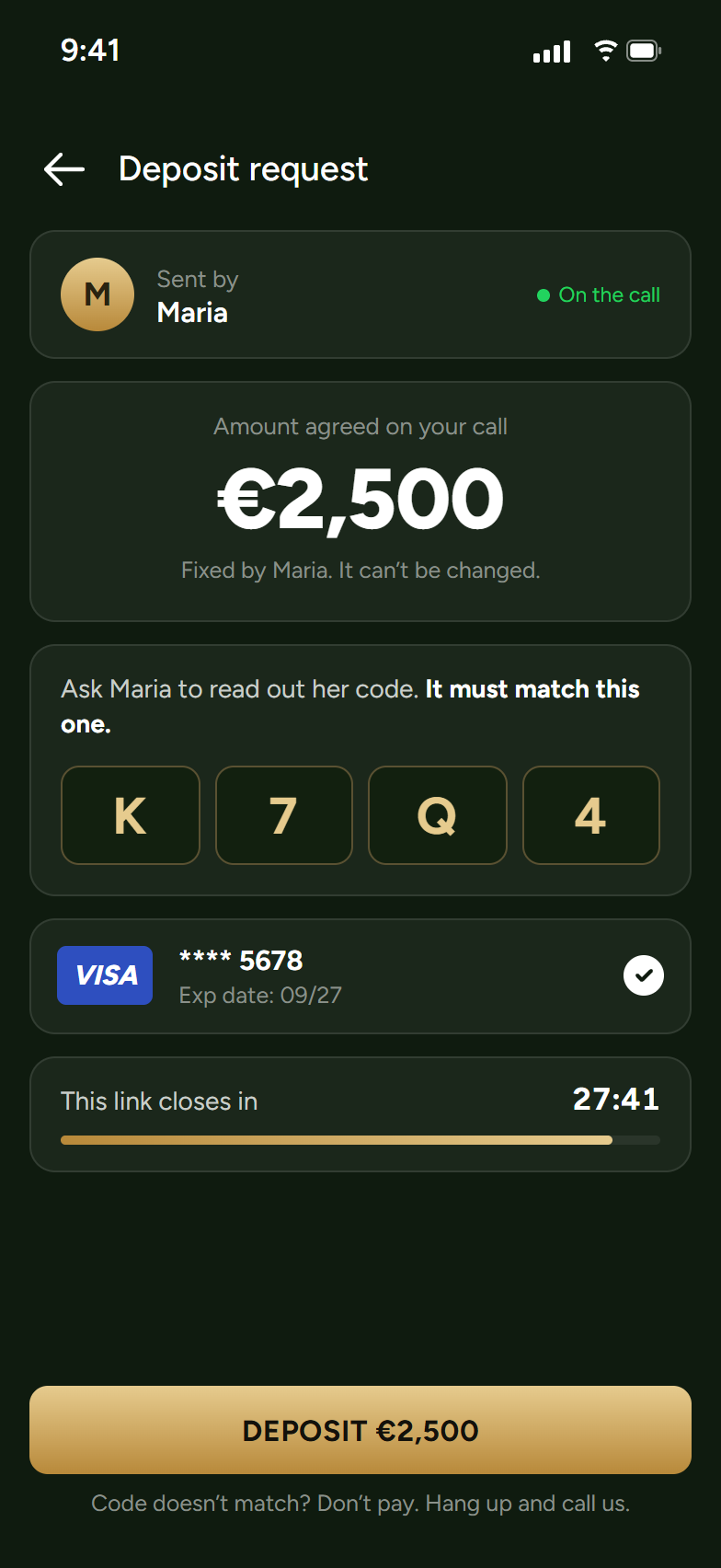
The customer cannot tell this is real. That is the main problem, not a later one.
A customer receives a payment link by WhatsApp, or from an agent they have just been talking to on the phone. Before anything else, they are deciding whether it is real.
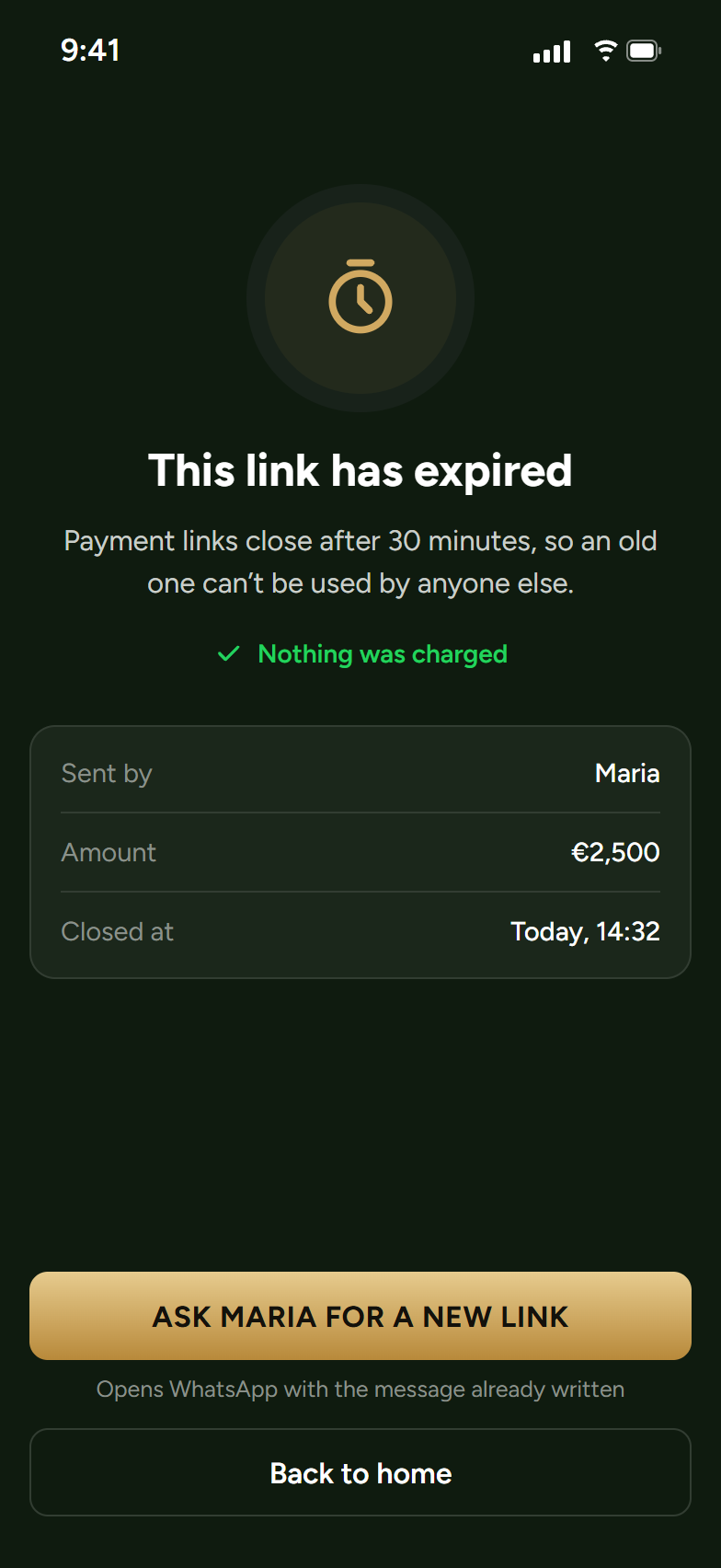
The mechanics are sound. Each link belongs to one customer, so a forwarded link is blocked for anyone else who opens it. It is single use, so a paid link is dead. It lives thirty minutes, so a link that leaks has a short life. And it cannot be edited once live, so what the customer sees is what the agent created.
None of that is visible to the customer. Every one of those properties protects the operator; nothing on the screen helps the person holding the link decide whether a payment link from a casino is real. That gap is the first thing I would close.
05 The product
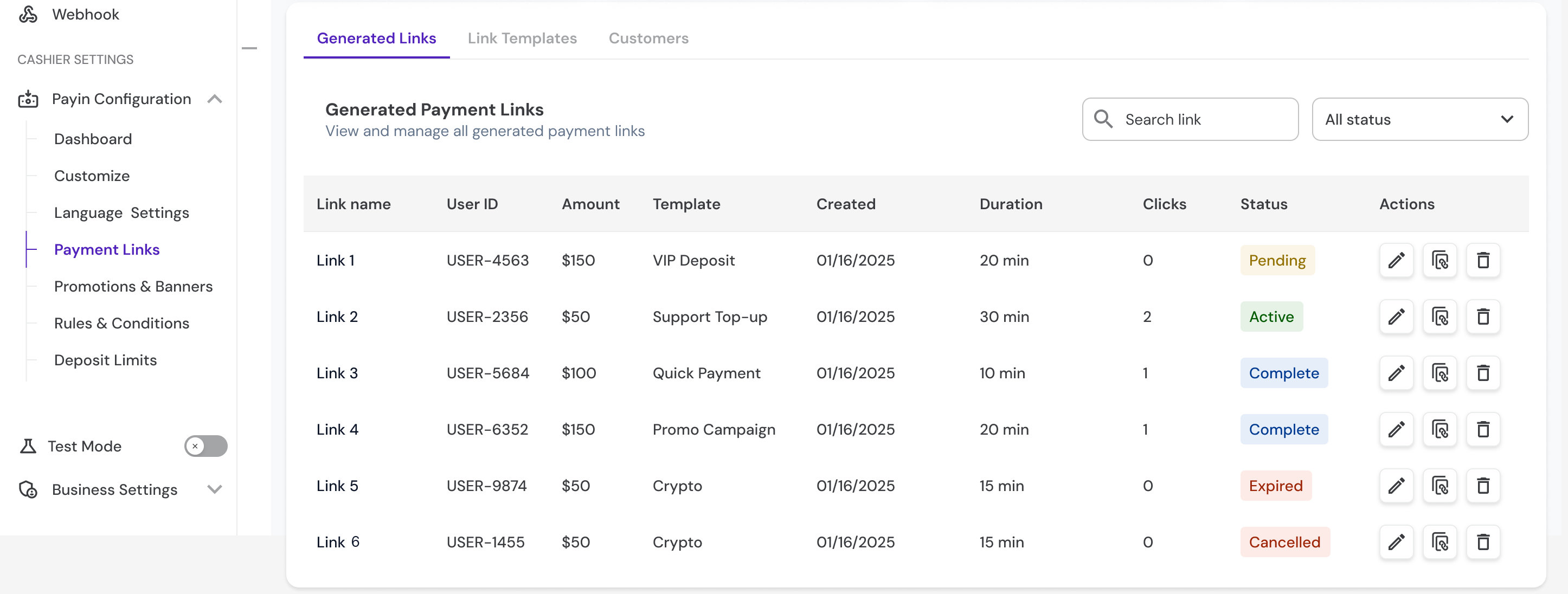
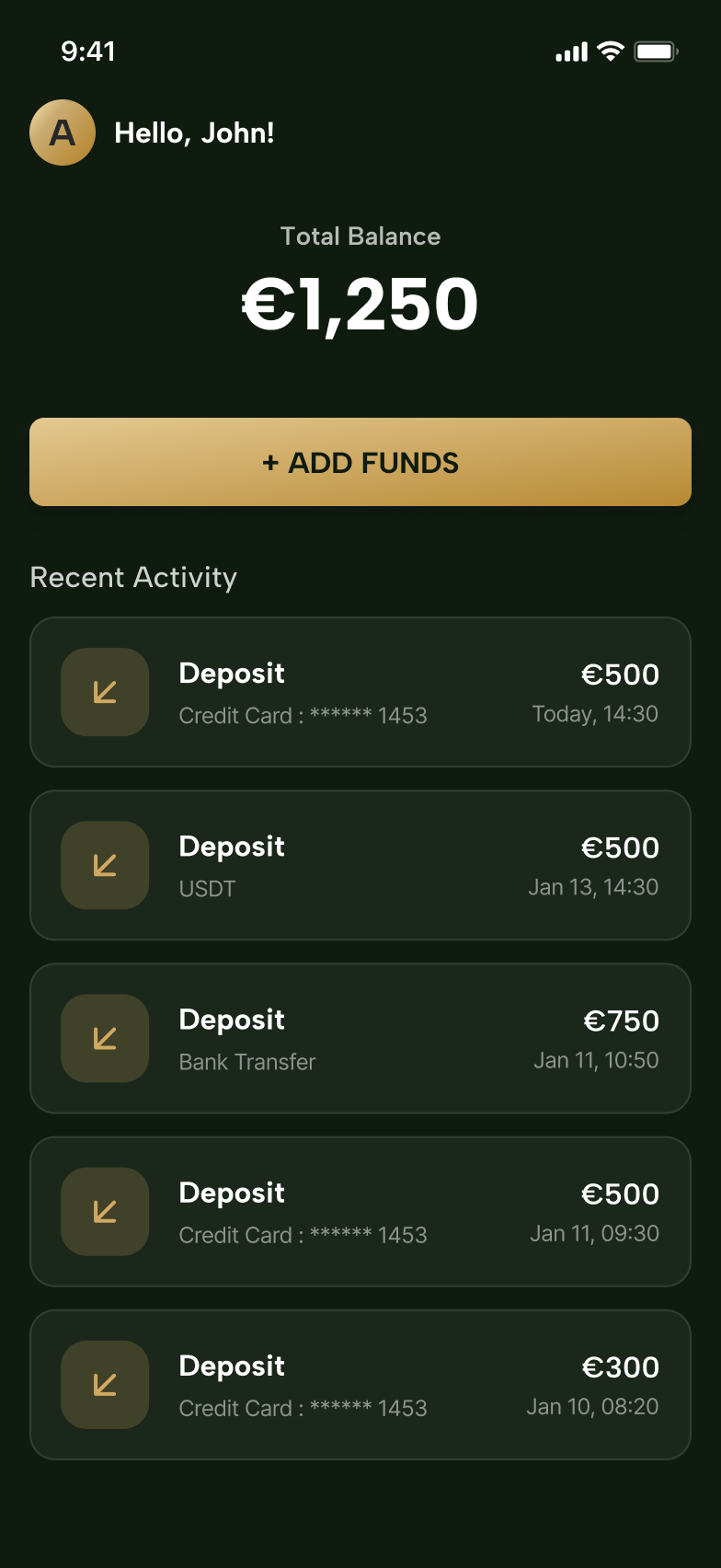
Two connected surfaces, one for each user
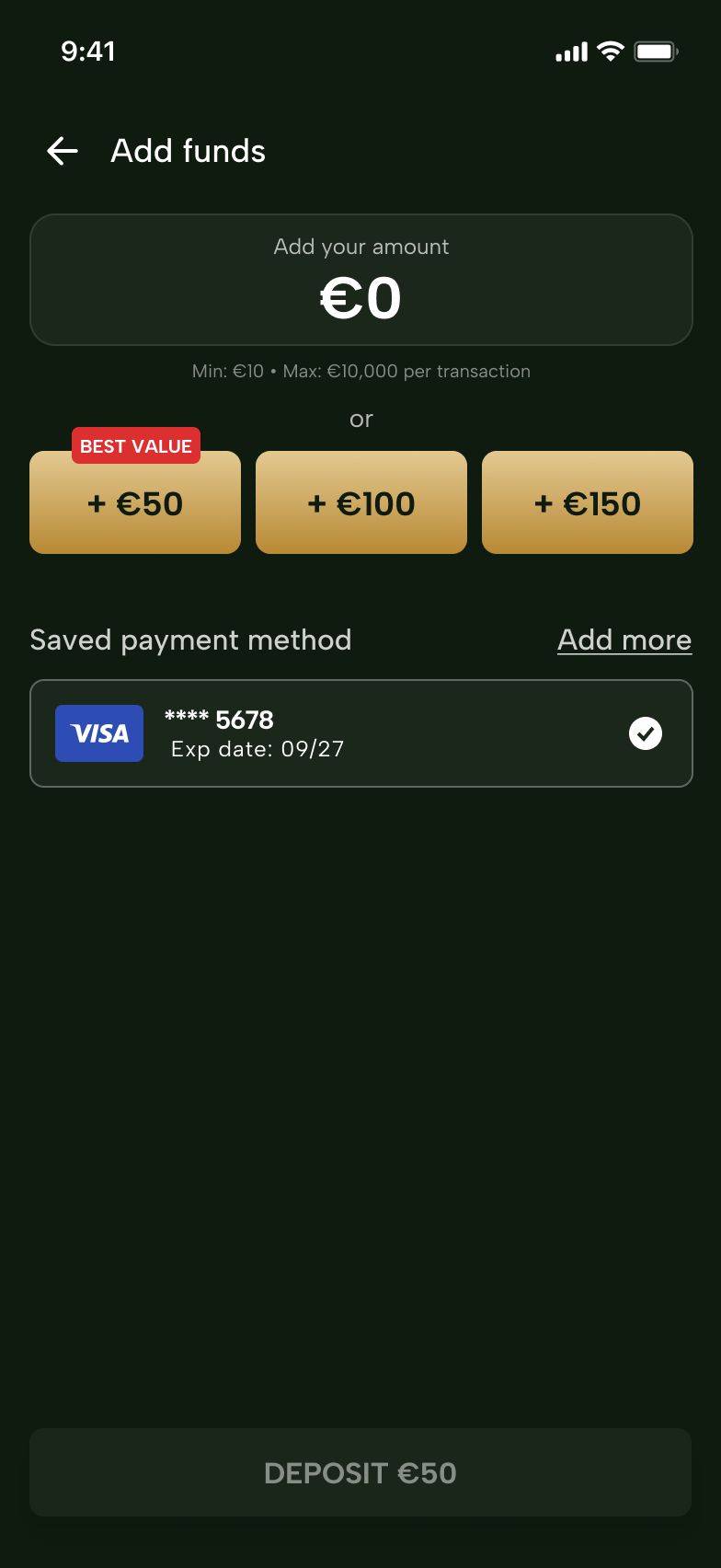
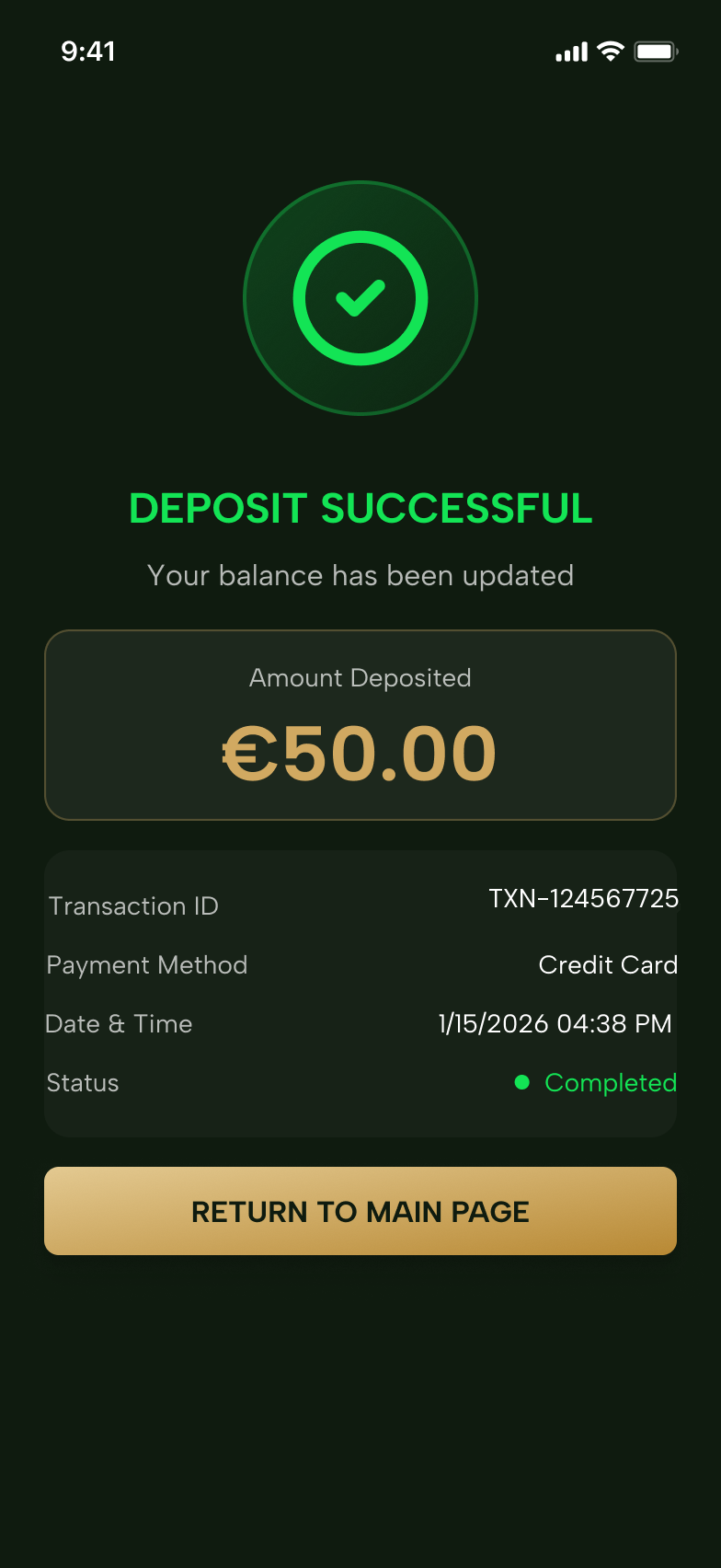
An agent opens the generator, picks a customer, sets an amount and a duration, and names the link. The customer opens it and pays, with the amount either fixed or left open, depending on how the agent set it up.
06 Routing
Three things have to go right before anyone pays
- The customer taps the link
-
Is the app installed?
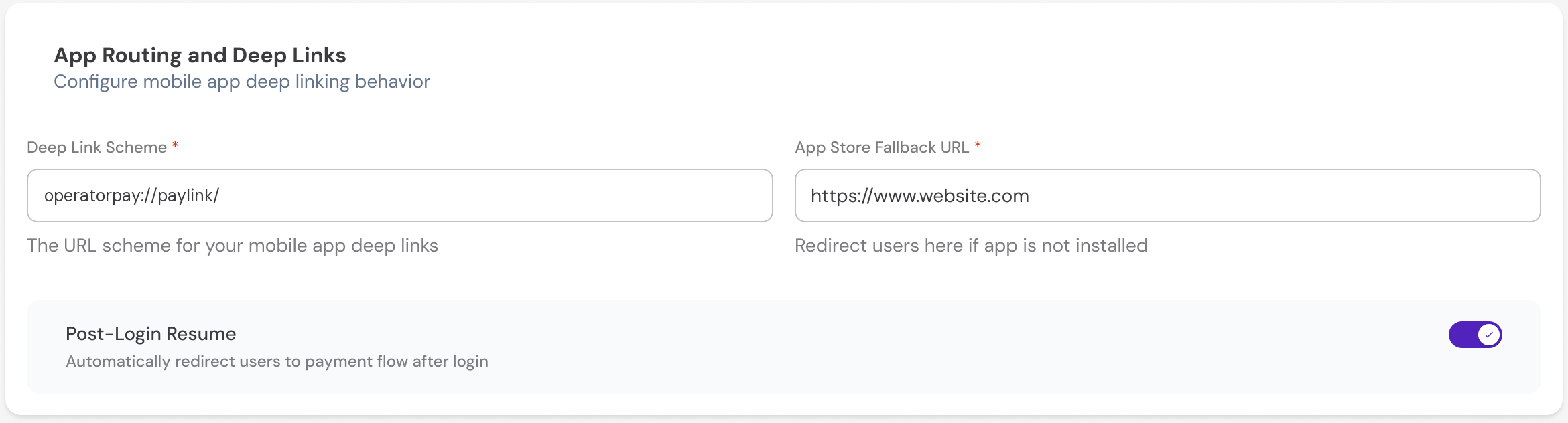
No — the link sends them to the app store, and the same session has to be waiting when the app opens for the first time.
-
Is the customer signed in?
No — login interrupts the journey, so the session has to survive it. After signing in they land back on the deposit, not on the app's front door.
-
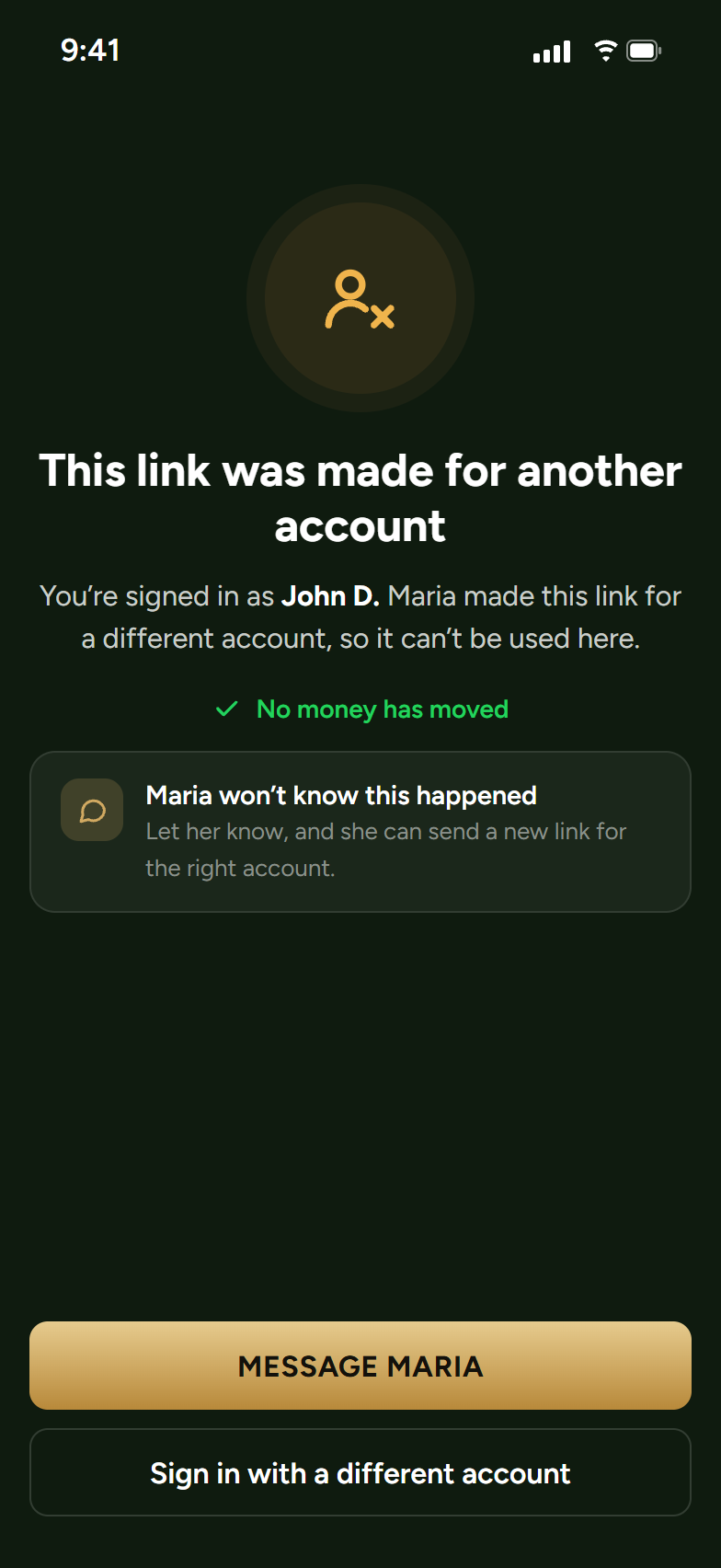
Does the account match the link?
No — blocked. Not warned, not sent to a manager, and not configurable. The agent who created the link is not told when it is refused.
- The deposit carries on, on the terms the link was made with.
Quietly moving a link to whoever happens to be signed in is the convenient answer and the wrong one. On a shared device it turns one person's deposit into somebody else's accounting problem. Blocking is the only answer that matches what the agent is promised when they make the link: that only that customer can complete the payment. A rule that holds most of the time is not a security property. It is a preference.
07 The rules
Five constraints, each one closing off a dispute
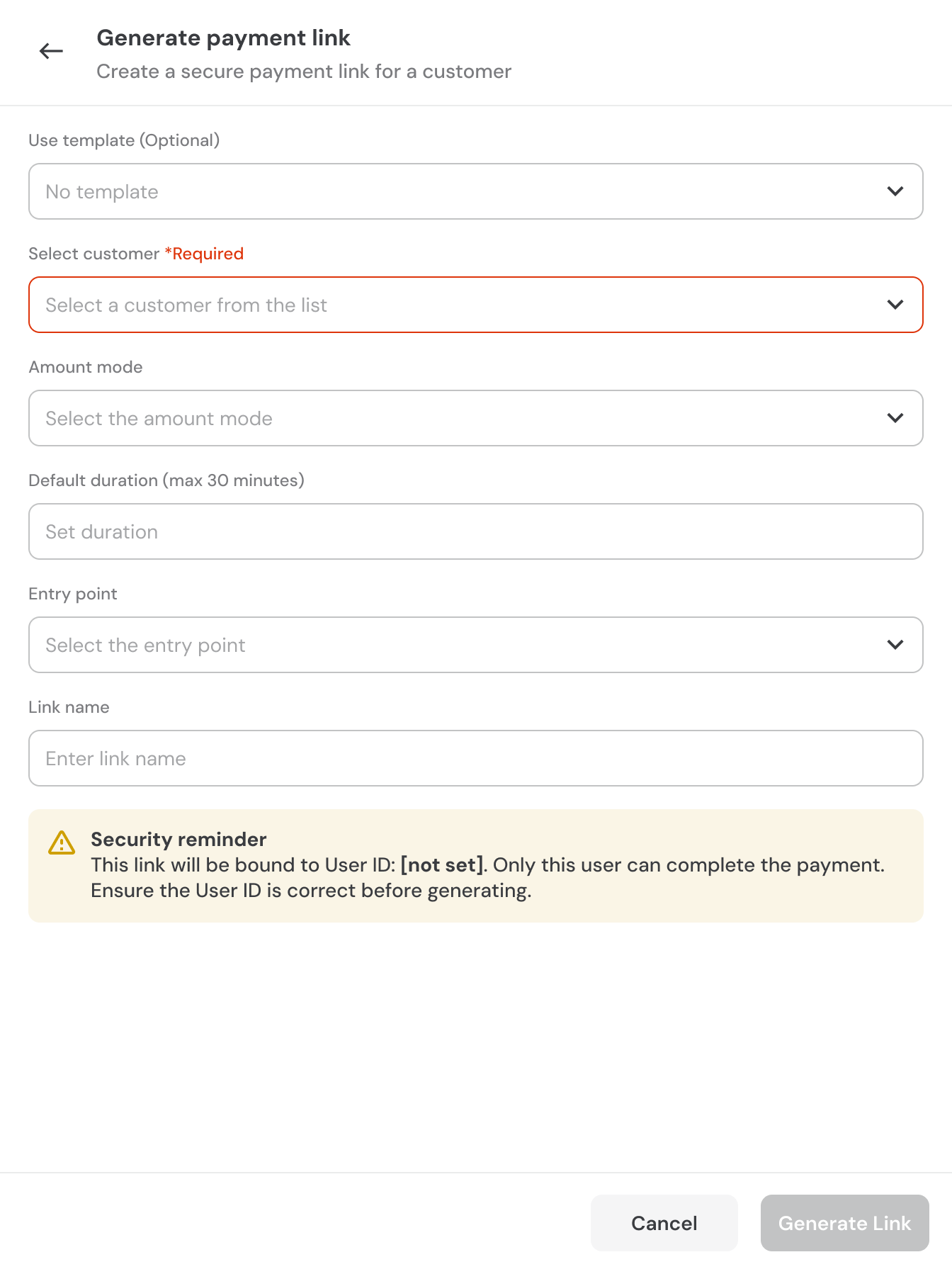
Each link is tied to one customer, and the agent is told before generating
The drawer says in plain words that the link will be tied to that person and only that person can pay. It sits where the agent reads it before the link exists, not after.
Links expire after thirty minutes
The specification proposed something looser, twenty-four hours, as an example. A short window is easier for an agent to explain on the phone, and safer for the operator.
I had designed an option to extend a link that was already live. It was cut, and the cut was right: extending would produce a link whose terms changed after the customer had already seen them, which is exactly the dispute the no-editing rule exists to prevent.
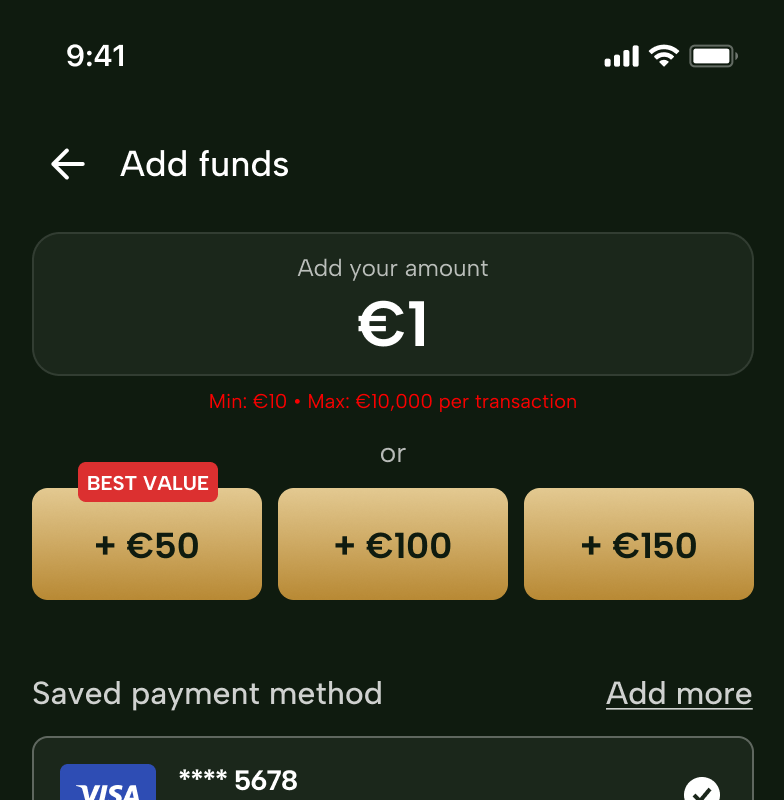
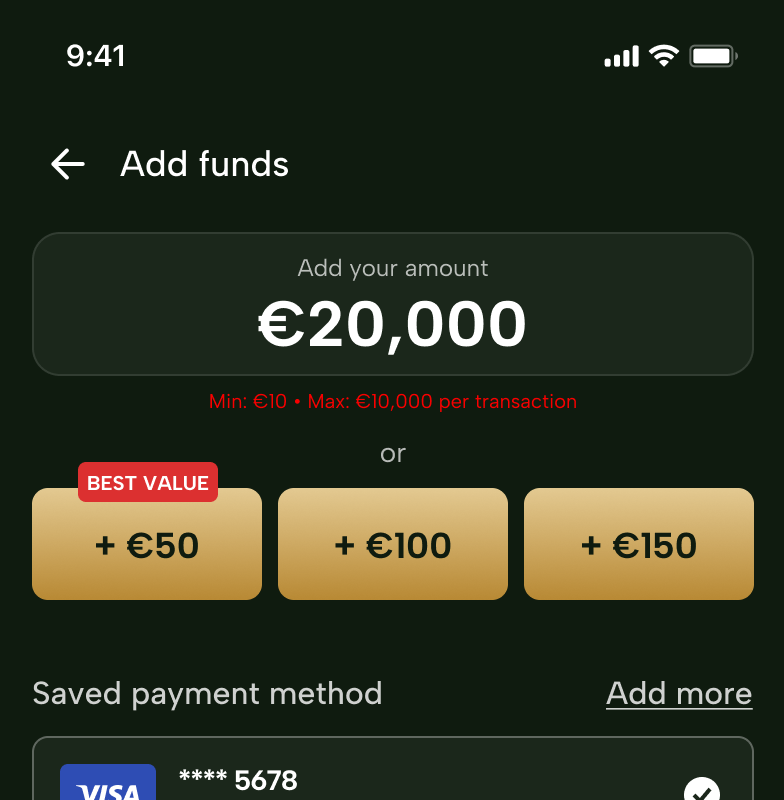
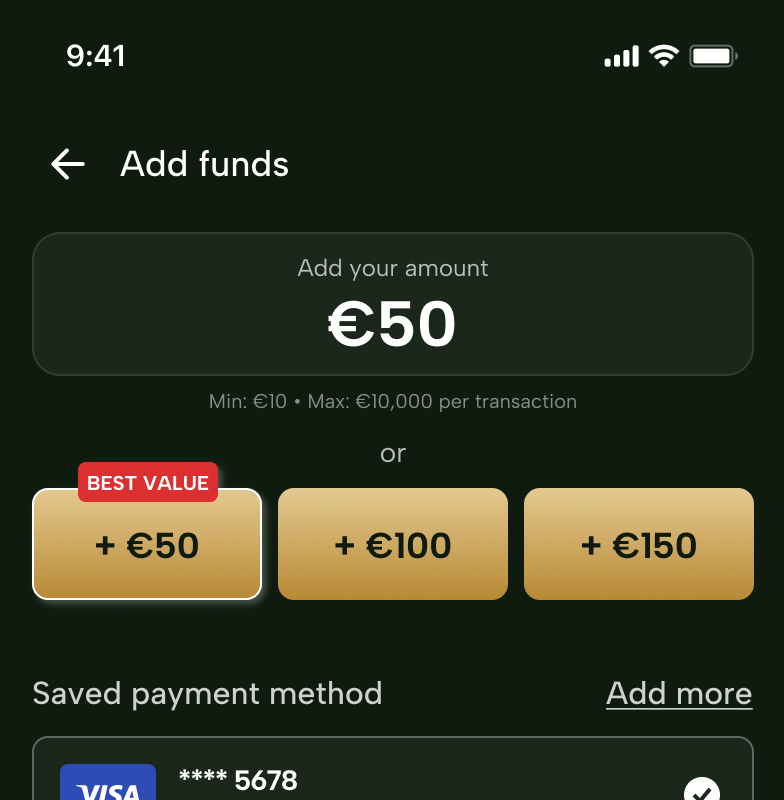
The amount has limits, and the limits are visible
Deposits run between ten and ten thousand euro per transaction.
Links cannot be edited once they are live
An agent who makes a mistake switches the link off and generates a new one.
No currency selector
The operator handles one currency. I set it as the default rather than adding a field agents would have to get right under time pressure.
08 The record
A history panel on every link
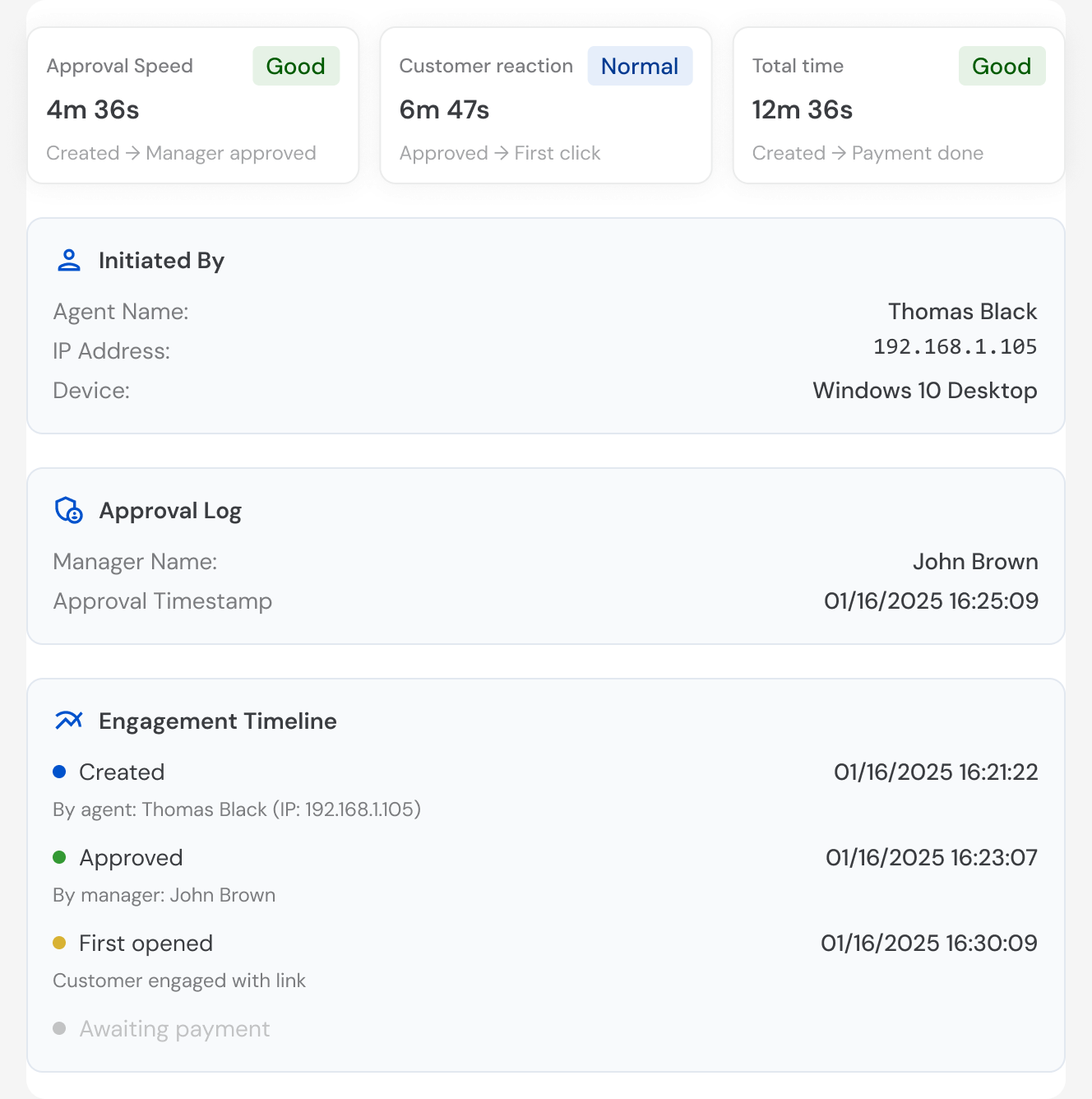
Agents work in shifts, and the next person needs to work out what happened without asking anyone.
09 Pushback
A control I designed, and why it was cut
I designed a usage limit for links — a control that let an agent set how many times a link could be used. It was cut in review. Every link is single use, full stop.
The pushback was about security, not scope or effort. A link that keeps working is worth stealing, and a usage counter only limits how often a stolen link works. Single use removes the question instead of putting a bound on it. It was a better answer than mine.
“One time use” was already in the brief, under Minimal Security; I had read it for the flow, not the constraints.
10 Late requirement
Approval arrived after the specification
There is no approval step in the MVP document. It turned up later, as a request for the configuration page to record who made a link and who approved it. A requirement that arrives with no rules attached needs questions before it needs screens, so I asked what governed it rather than drawing an approver into the flow and hoping.
What exists is the record, not the queue. The screen a manager would actually work from — everything waiting for them, in one place, approved in a batch — was never designed, because the requirement arrived as a request to record approval rather than to perform it. It is the first thing this product needs next, and I would rather say that than imply the flow is finished.
11 Where it stands
Presented inside a week
What I can account for is the process: a working two-surface prototype inside a week, four scoping questions answered before a single screen was drawn, and five constraints settled — one customer per link, the expiry cap, the amount limits, no editing, and one currency. Each one closes off a kind of dispute before it can reach a support queue.
12 Reflection
What I learned
-
Read a specification for what it forbids, not only for what it describes
The single-use rule was sitting in the document the whole time, under Minimal Security. I found it in review instead of at the start, which is a slower and more embarrassing way to find it.
-
Scoping questions are the design work
Four questions asked before any screens removed a whole step from the agent's job. None of them added anything to the product, and that was the point of asking them.
-
Design the unhappy path in the first pass, not the second
What I drew covers the customer who pays. It does not cover the one who opens a link after the window has closed, or the one whose account does not match.
-
Nobody defined what success would look like, including me
The outcome of this project is a prototype in a week. There is nothing about what the operator should see three months after launch. I would now write the measurements into the first conversation — how many links sent become payments received, how many customers drop at the app install step, how many links expire unused. Even when the answer is that we cannot collect it yet, asking changes what gets built.