01 The users
Two people, and only one of them can see the algorithm
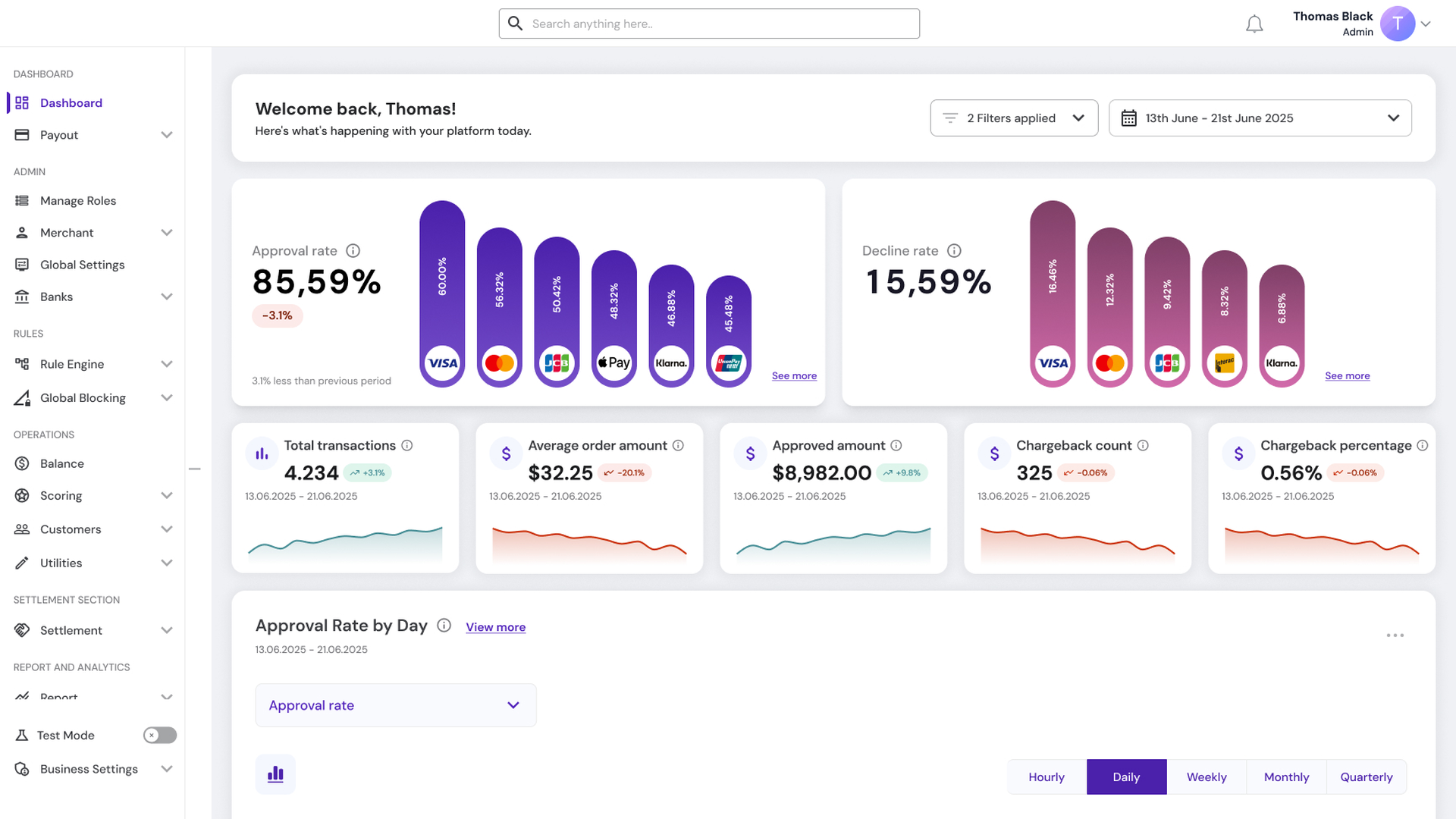
The merchant is configuring one feature that has to serve customers who deposit very different amounts. They are deciding how much money their cashier asks for, using a model they did not build and cannot inspect. What they want is the revenue, without signing a blank cheque to something they do not understand.
The feature was new, so there was no old screen to learn from. What I knew about merchants came from account manager feedback.
The customer never sees this page. They see three amounts in a cashier and choose one in a couple of seconds.
02 The decision
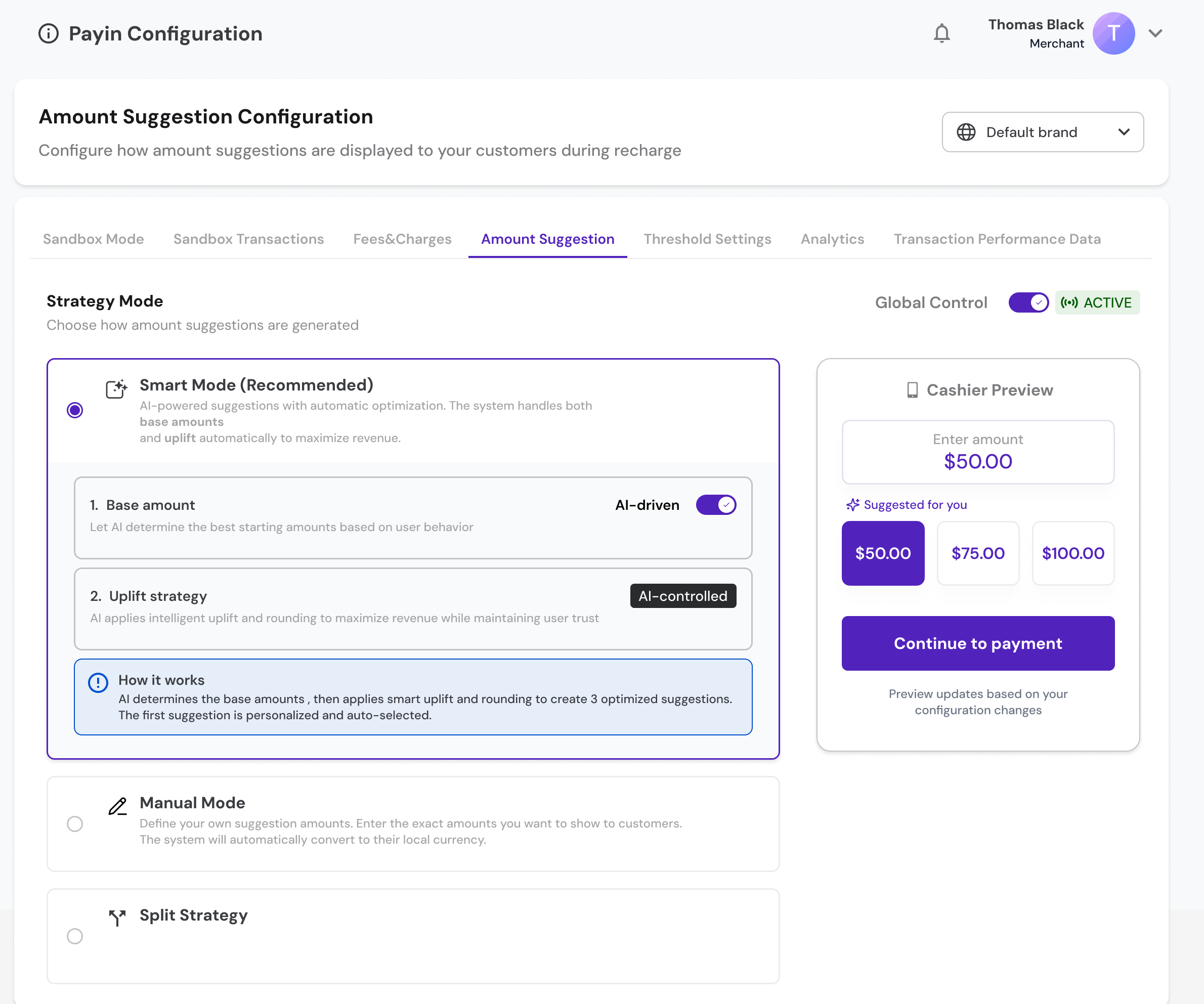
Two modes, not three
The product manager proposed three top-level modes: Smart, Manual and Fixed. Fixed would have let a merchant add set amounts rather than percentages.
I argued against it. Fixed and percentage are the same decision expressed two ways, and separating them into top-level modes meant a merchant had to understand the difference before they could begin. I proposed keeping two modes and putting the choice between percentage and fixed amount inside Manual.
The product manager agreed in the same thread. The shape moved again afterwards — by the version that shipped, the uplift percentage had moved into Smart Mode, where the model calculates it, and Manual became where a merchant sets the amounts themselves. The argument held: two modes, not three.
03 The hard part
The controls were visible. What they acted on wasn’t.
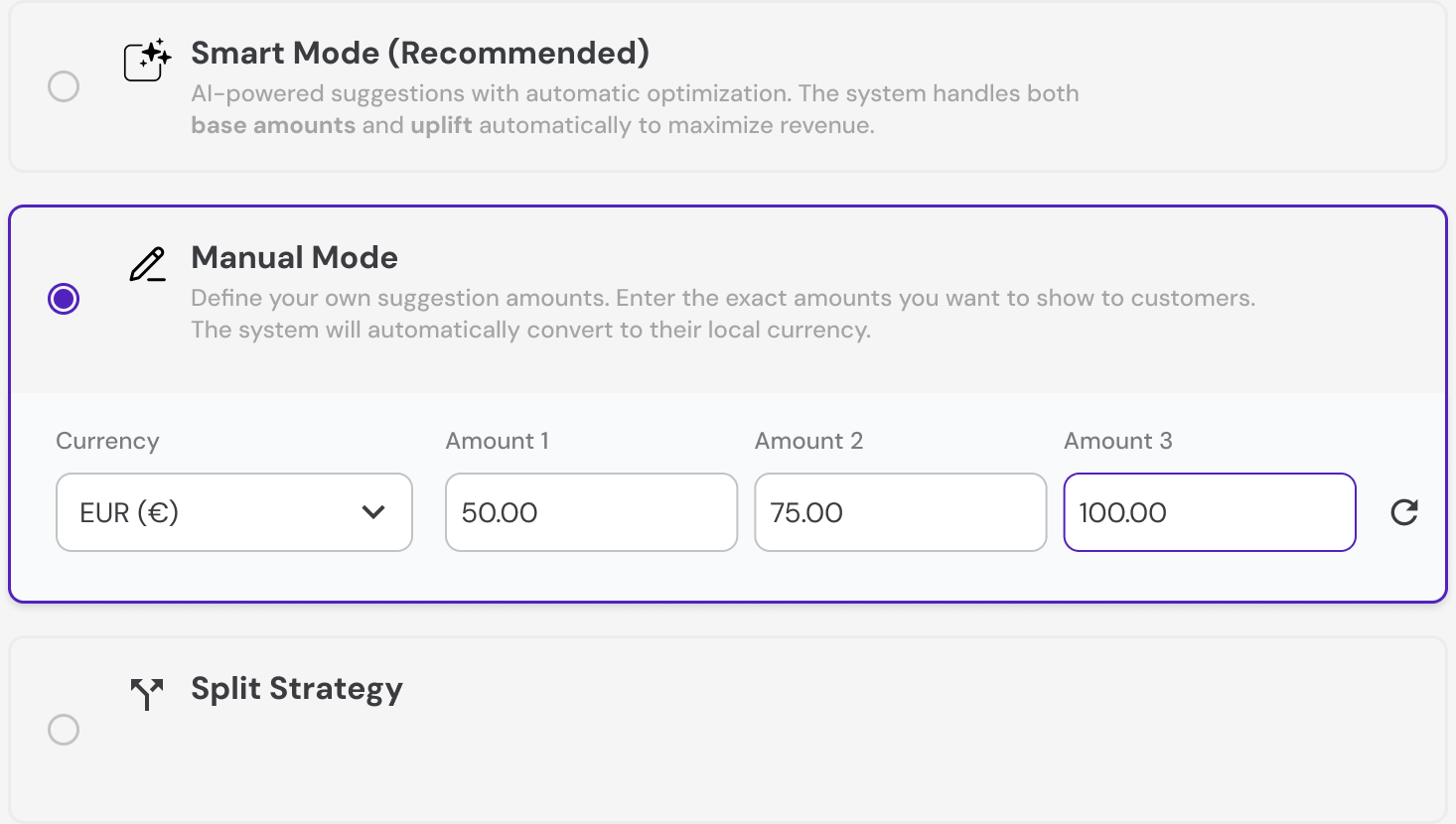
A merchant can see every control. They cannot see the thing underneath it, and in the first version I had not said what that thing was.
The custom rule screen said a merchant could “override ML suggestions.” The rule does not override the model — it applies the model to a narrower set of conditions. The Smart Mode slider set an uplift percentage without saying a percentage of what. And entering 17 produced 10, because of a rounding step that happened silently.
Three controls, one problem. Each one acted on something invisible — the model, the base amount, the rounding — and none of them said so. A merchant cannot configure what they cannot see, and the fix was not a different control. It was a sentence next to each one, naming what it acts on.
04 The reversal
Split testing belonged at the top, not underneath
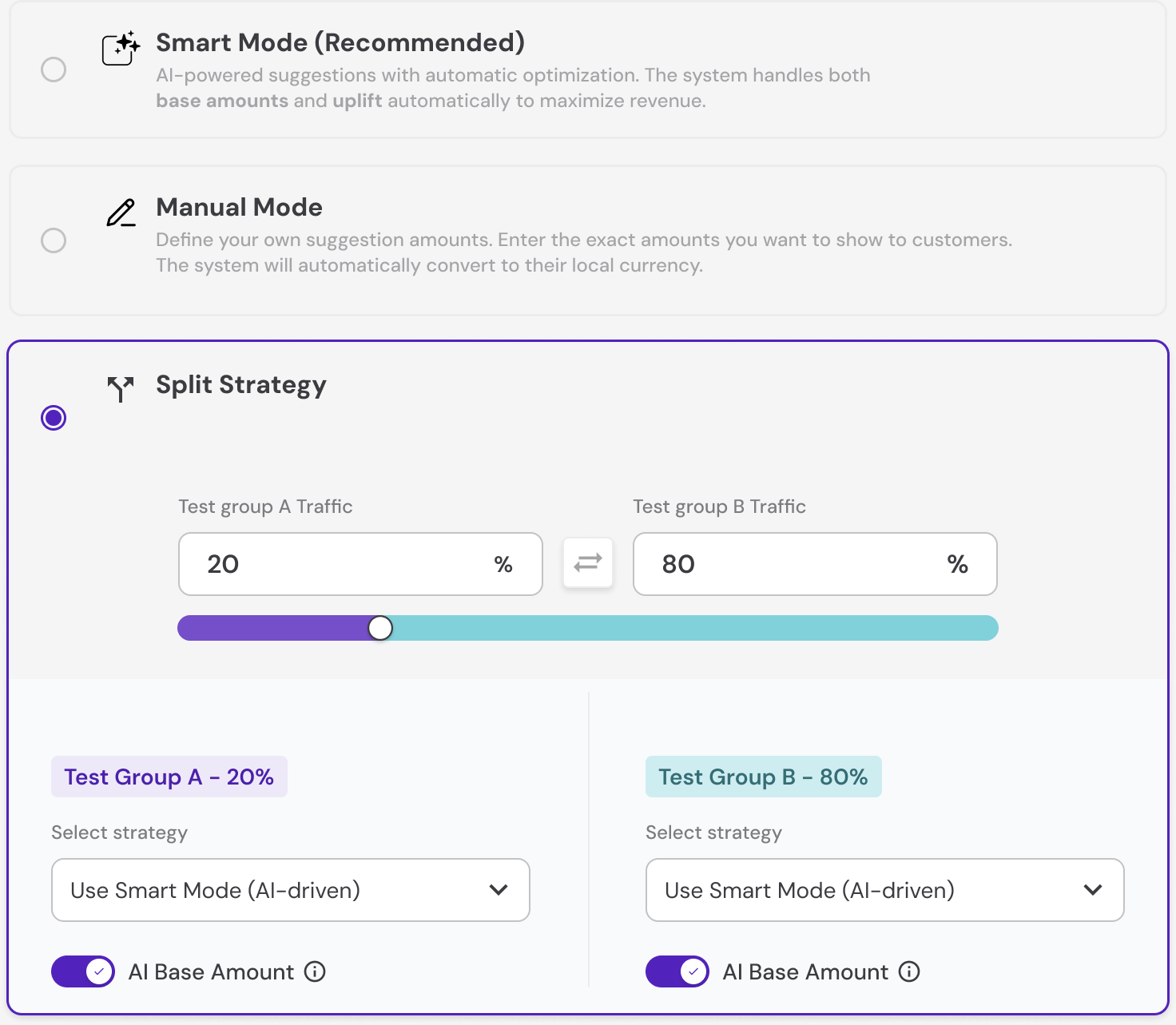
The product manager asked for a way to compare two strategies by splitting traffic between them.
I built it inside Manual Mode, as a sub-option. That was wrong, and the reason is interesting: a merchant does not want to compare two manual settings against each other. They want to compare their own settings against the algorithm.
The product manager said it belonged at the top level, with a mode selector on each side of the split. I rebuilt it.
Put plainly, the reason the feature exists at all is that merchants do not trust the model yet. The split test is how they find out, with their own traffic, that it works.
05 Framing
Six questions before anything was drawn
A split test is a measurement instrument. If it is built wrong it produces a number that looks real and is not. So before drawing it I sent six questions in writing. These three mattered most:
- How do we stop one customer seeing percentages on their phone and fixed amounts on their desktop?
- If the rounding makes the two groups' buttons identical, how will we know which strategy won? Should the system keep the raw unrounded figure?
- What is the minimum number of transactions before we show a result at all?
The second one is the one that mattered. Smart rounding is there to make amounts look deliberate rather than calculated. It also flattens small differences — and a small difference is exactly what an A/B test is trying to detect. A test whose own output step erases the signal reports a tie forever.
The answer was that uplift is tracked against average order value in the background, on the raw figure, so the rounding does not reach the measurement. The instrument was sound. I would rather have asked and been told that than assumed it.
I asked for the answers in writing rather than on a call, so the decisions were recorded rather than remembered.
06 The pressure
The handoff I asked to delay, and didn't get
The feature carries logic a designer should not guess at: customer segmentation for high-value players, currency conversion, how an uplift interacts with deposit limits. The product owner was going offline for several days and I asked to hold the handoff until he could review it.
The backend lead said no. The logic had already been settled at the back end, and development needed the preliminary designs to start integration.
He was right about the sequencing and I was right about the risk. I sent the designs that Friday, and the logic changed twice afterwards.
So I rebuilt it. The changes were presented on a call; I updated the design and sent it back for review.
07 The review
Shipped is not finished.
I went through it and found eight things.
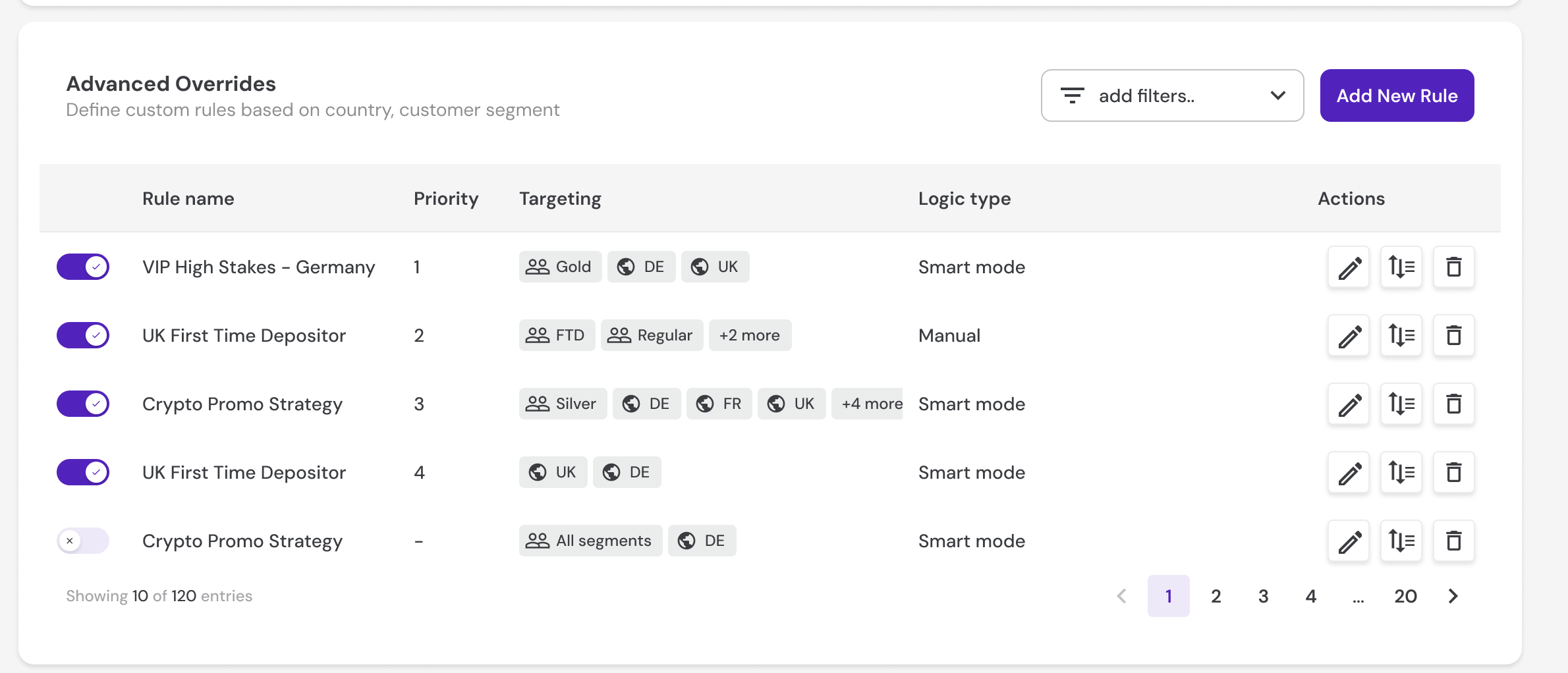
The feature went live on the platform. I reviewed it against the design and sent eight defects back: the master switch did not disable anything, the table filters did nothing, the payment button in the preview was clickable, and deleting a rule left a gap in the priority order instead of closing it.
Checking the built thing against the design is part of the job, not a favour. A control that looks right and does nothing is worse than one that is obviously missing, because nobody files a bug against a switch that appears to work.
The feature was still new when my contract ended.
Two things I would have watched. Whether customers tapped a suggested amount or typed their own anyway — if they type, the suggestions are wrong, and nothing else about the feature matters. And whether merchants who ran a split test moved to Smart Mode afterwards or stayed where they were.
The second one is the real test. A merchant who runs the comparison, sees the algorithm win and stays on Manual is telling you something no transaction data will.
08 Reflection
What I learned
-
A control is only as good as the sentence next to it
When a control acts on something the user cannot see — a model, a base amount, a rounding step — the control is not enough on its own. It needs a sentence that names what it acts on.
-
A split test is an instrument, and instruments can be broken by the thing they measure
Rounding exists to make numbers look human. It can also flatten the difference the test is looking for. Ask what the measurement is made of before designing the thing that produces it.
-
Ask in writing
Six questions on a call would have been six answers I half-remembered. In writing they became the specification, and I could design against them instead of against my memory of a conversation.